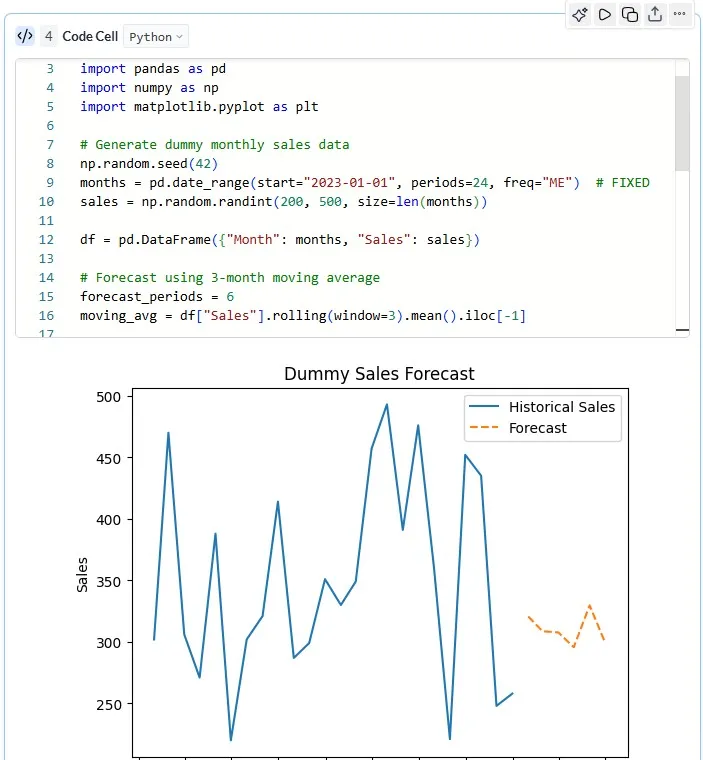
Python Cell
Grafieks makes it easy to work with data using Python directly inside notebook cells. Whether you’re analyzing data from databases, data warehouses, or CSV files, Python cells provide a flexible environment for data processing, transformation, and visualization.
After connecting your data sources, such as PostgreSQL, Redshift, BigQuery, or Snowflake through Grafieks, you can load data into DataFrames and start working with powerful Python libraries. Write custom code or use AI assistance to generate it instantly.
With built-in support for libraries like pandas and seamless integration with SQL blocks, Python cells enable advanced analytics workflows. Features like variable sharing across cells and efficient execution make it easier to build scalable, reproducible data projects.
To get started:
- Create new notebook from quick create button or navigating to notebook from the menu.
- Add new cell. From the code cell select “Python”, in case it is already not selected.
Note:
- Python cells run in a sandboxed environment with pre-loaded libraries and no external internet access.
- Review the generated code before execution to ensure it behaves as expected.